
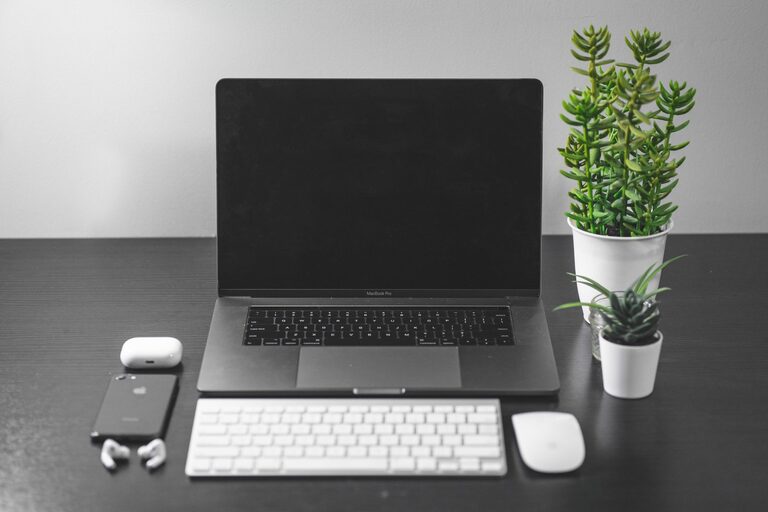
A workspace does not need a complete makeover to feel fresh. In just ten minutes, you can clear distractions, improve your comfort, and create a more inviting place to work or study.
The key is to focus on small changes that make an immediate difference. Instead of sorting every drawer or redesigning the room, use this short reset to tidy the surface, manage loose items, and prepare for what comes next.
Before you begin
Set a timer for ten minutes and gather a few basic supplies:
– A rubbish or recycling bin
– A small box or bag for items that belong elsewhere
– A cloth or screen-safe cleaner
– A cable tie or reusable strap
– A notebook or notepad
You do not need to use every supply. The timer is simply a helpful boundary. It keeps the refresh quick and prevents one small task from turning into a full cleaning project.
Minute one: Clear the obvious clutter
Start with the items that are easiest to remove. Pick up empty cups, food wrappers, used tissues, unwanted receipts, and packaging. Place rubbish and recycling where they belong.
Next, move anything that does not belong in the workspace into your box or bag. This might include books for another room, laundry, tools, or personal items. Do not stop to put each item away yet. Collecting them first will help you stay on schedule.
Aim for a clear working area rather than perfect organization. A clean surface can make the entire workspace feel calmer within minutes.
Minutes two and three: Reset your desk surface
Look at the items remaining on your desk and ask whether each one supports your current work. Keep only the essentials within easy reach.
For example, you may want to keep:
– Your computer or monitor
– A keyboard and mouse
– One notebook
– A pen
– A water bottle
– A small lamp or useful accessory
Move spare stationery, old notes, extra cables, and unused equipment to a drawer, shelf, or storage container. If you are unsure where something belongs, place it in a temporary “sort later” spot rather than creating a new pile in the middle of your desk.
Try to leave a comfortable amount of open space in front of you. This gives you room to write, read, or arrange materials without constantly shifting objects.
Minute four: Clean the high-touch areas
Dust and fingerprints can make a workspace feel less fresh than it really is. Use a slightly damp cloth to wipe the desk surface, keyboard area, mouse, phone, and chair arms.
If you are cleaning a screen, follow the manufacturer’s instructions and use a suitable screen-safe cloth or product. Avoid spraying liquid directly onto electronic devices.
Focus on the areas you touch most often rather than trying to clean every surface in the room. A quick wipe of your main work area can make a noticeable difference.
Minute five: Tame the cables
Loose cables can create visual clutter and make it harder to clean your desk. Take a moment to group cables by purpose.
You can use:
– Reusable cable ties
– Small clips
– A cable box
– Labels
– A simple loop behind the desk
Keep the cables you use every day accessible, and move rarely used cords out of sight. If several chargers are plugged in but not needed, unplug them and store them together.
Avoid pulling cables tightly or bending them sharply. The goal is a neater setup that remains easy to use, not a complicated arrangement that takes longer to manage.
Minutes six and seven: Improve your comfort
A refreshed workspace should feel better, not just look better. Make a few quick adjustments to your chair, screen, and lighting.
Check that:
– Your feet can rest comfortably on the floor or a footrest
– Your shoulders can relax while you work
– Your screen is positioned to reduce unnecessary neck bending
– Your keyboard and mouse are easy to reach
– Your main light is bright enough for the task
If possible, adjust the chair height or move the screen so you can work in a more natural position. Open a blind or curtain for daylight, or turn on a lamp if the area feels dim.
Small comfort improvements can make it easier to stay at your workspace without constantly shifting or reaching.
Minute eight: Choose one useful addition
Once the clutter is gone, add one item that makes the workspace more pleasant or practical. Keep this simple. Too many decorative or functional items can quickly recreate the clutter you just removed.
Consider adding:
– A small plant
– A coaster
– A notepad for quick ideas
– A desk calendar
– A meaningful photo
– A small tray for everyday items
Choose something that supports your routine. For example, a notepad can help capture distractions, while a tray can keep keys, earbuds, or clips in one place.
Minute nine: Prepare for your next task
Use this minute to make the next step easier. Open the document you need, place the right book on the desk, or write down the first task you plan to complete.
A short list of one to three priorities is often enough. Avoid creating a long task list during a quick workspace refresh. The purpose is to create direction, not add more pressure.
You could write:
- Reply to the most important message
- Review the next section of a project
- Take a short break after completing the first task
When your next action is visible, it is easier to begin without spending extra time deciding what to do.
Minute ten: Finish with a quick reset
Take one final look at the room and return the collected items to their proper places. Empty the rubbish or recycling if it is ready to go out. Close unused tabs, silence unnecessary notifications, and place your phone somewhere that will not interrupt you.
Then pause for a moment and notice what has changed. The goal is not a perfect workspace. It is a space that feels clear enough, comfortable enough, and ready for use.
Keep the refresh going
A ten-minute reset works best when paired with a few simple habits. At the end of each work session, try to:
– Return supplies to their usual places
– Remove cups and rubbish
– Write down unfinished tasks
– Put loose papers into one folder
– Leave the main work area mostly clear
You can also schedule a ten-minute refresh at the same time each day or once a week. A regular routine prevents small amounts of clutter from becoming a larger job.
Most importantly, adapt the process to your space. A compact desk may need more attention to vertical storage, while a shared workspace may benefit from a small personal tray or portable supply box.
With a timer and a few focused actions, your workspace can feel noticeably fresher in less time than it takes to make a cup of tea.